Concepts
The terminal editor
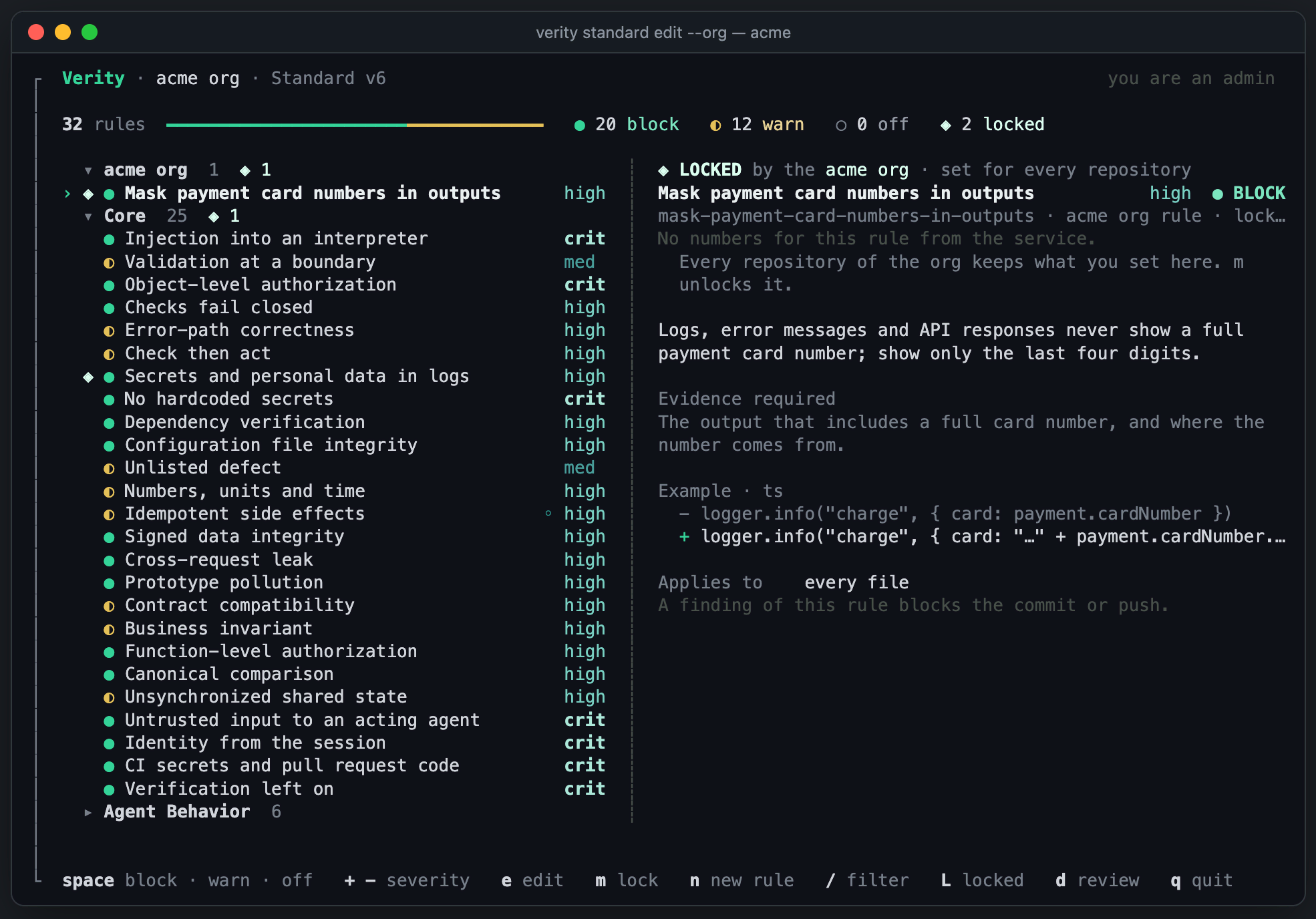
verity standard edit opens the Standard full screen: every rule, what it does when it finds something, and your changes, saved as one new version.
Open it
verity standard edit              # this repository's Standard
verity standard edit --org        # your org's Standard
verity standard edit --org acme   # name the org when you belong to more than one
The full screen opens at a terminal with Node 22 or later, outside CI and outside Claude Code. Elsewhere:
- With
$EDITORset,verity standard editopens.verity/standard.yamlin it. - Without it, the command prints the rules and the commands that change them (see Without the screen).
- The org Standard changes only in the full screen or on the web.
The screen
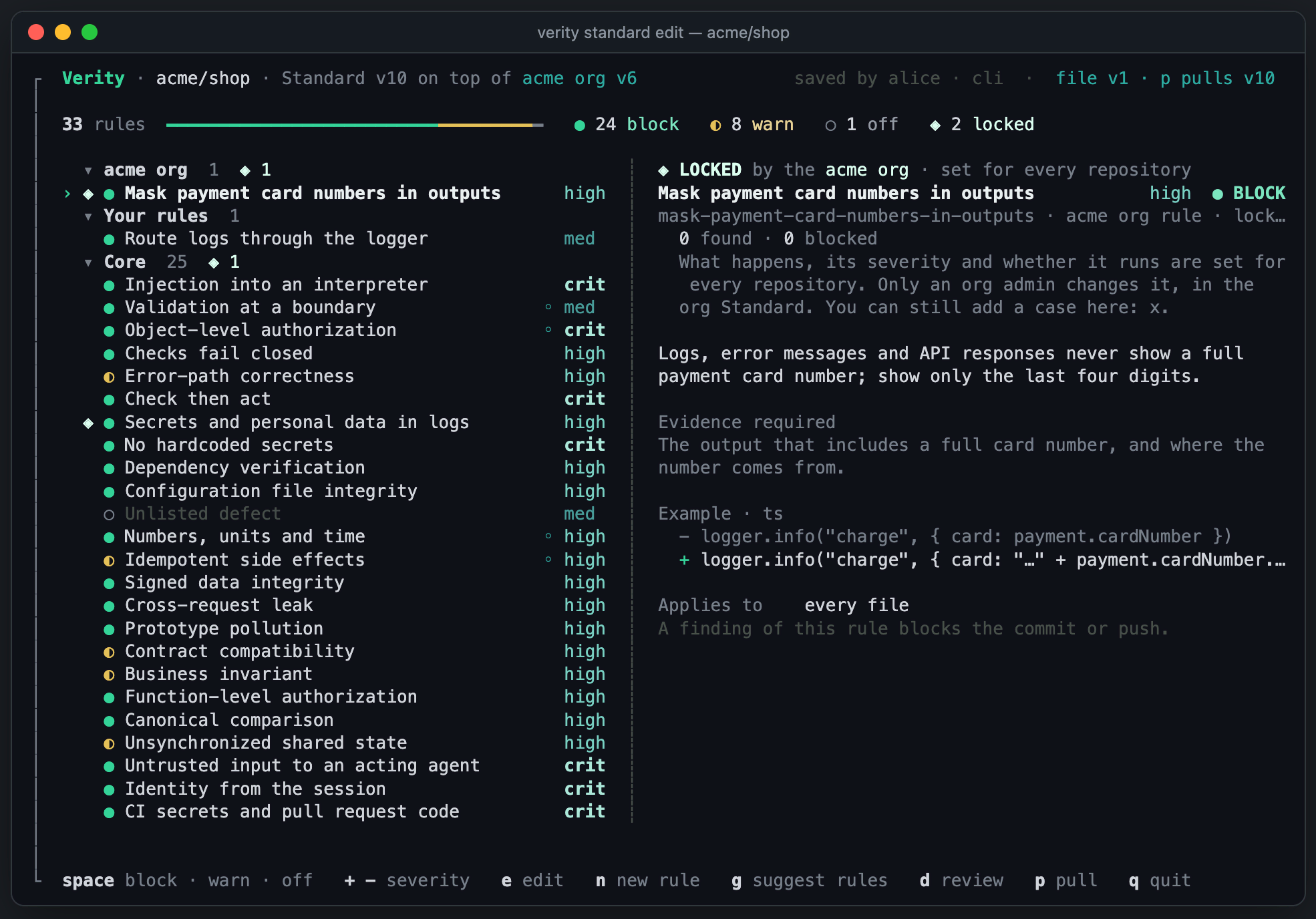
The top line names the repository, the version, and the org Standard it is built on: Standard v3 on top of acme org v2. On the right it says whether .verity/standard.yaml is the same version, or what p would write. The rules come in groups: the org's rules, your rules, then each review pack. The pane on the right shows the rule under the cursor: its text, the evidence a finding must show, an example, and who changed it here. A locked rule shows ◈ LOCKED by the acme org.
| Key | What it does |
|---|---|
↑ ↓ or j k | Move. PgUp and PgDn move a page, Home goes to the top, G or End to the last rule. |
← h, → l, Enter | Fold or open a group of rules. |
space | Change what happens: Block, then Warn, then Off. b, w and o set one directly. |
+ − | Raise or lower the severity. |
r | Back to the default: this Standard stops setting what happens and the severity. |
e | Edit the rule: open the edit pane. |
n | A new rule, from your words. |
g | Rules Verity suggests for this repository. Not in the org editor. |
/ | Filter by name or by what a rule says. Enter keeps the filter and goes to the first rule found. Esc clears it. |
L | Show only the locked rules. |
m | Lock or unlock a rule. Org editor, org admins only. |
d | Review your changes. Enter saves them as one new version. |
p | Write the team's latest version into .verity/standard.yaml. If your file has edits, press p twice: Verity keeps a copy of your file first. |
P | Push the edits in .verity/standard.yaml as a new version. |
q or Esc | Leave. With unsaved changes it asks first: q leaves without saving, d reviews them. |
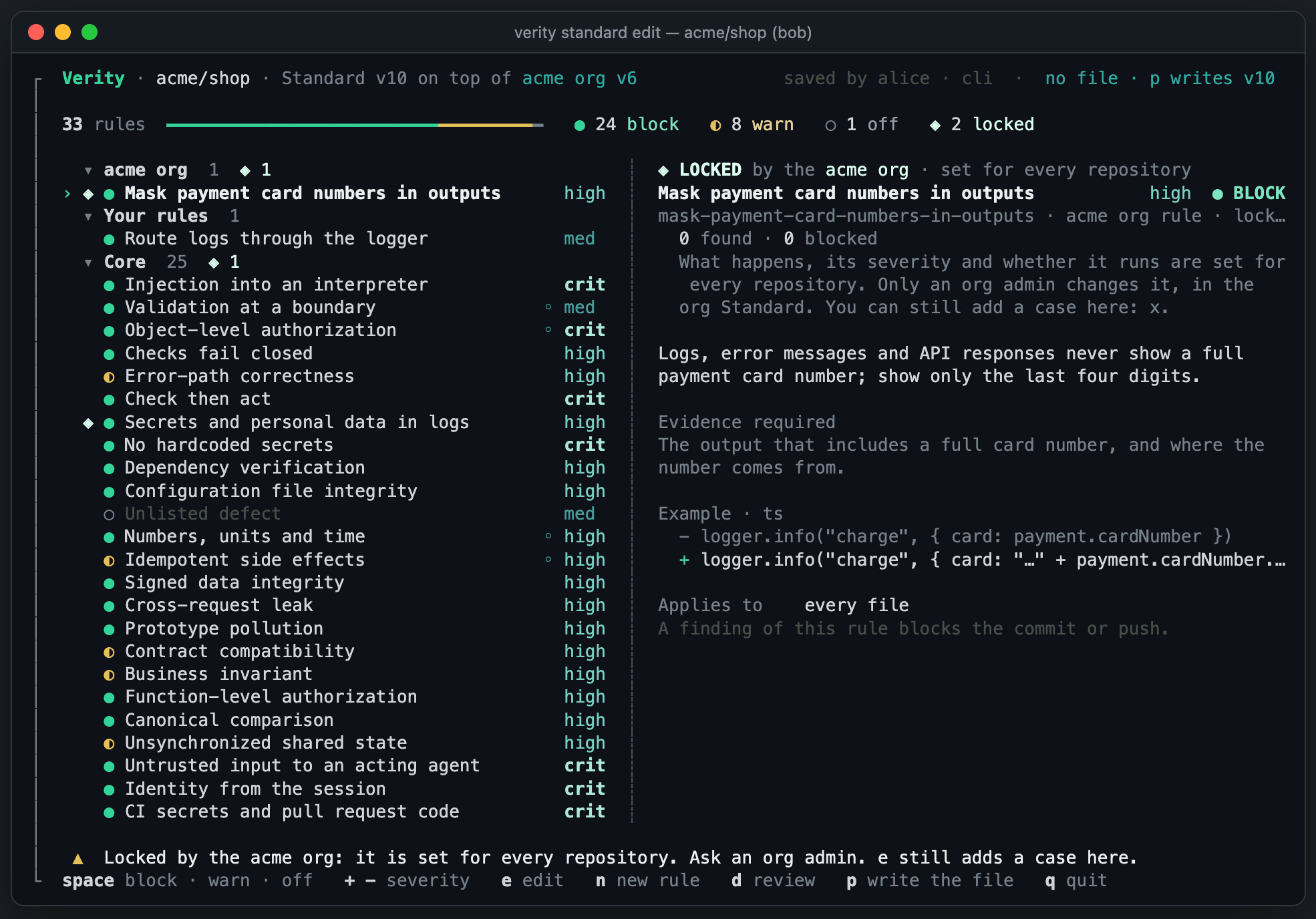
A change you are not allowed to make is refused at once, with the reason on the bottom line. For example, on a locked rule: “Locked by the acme org: it is set for every repository. Ask an org admin.”
Edit a rule
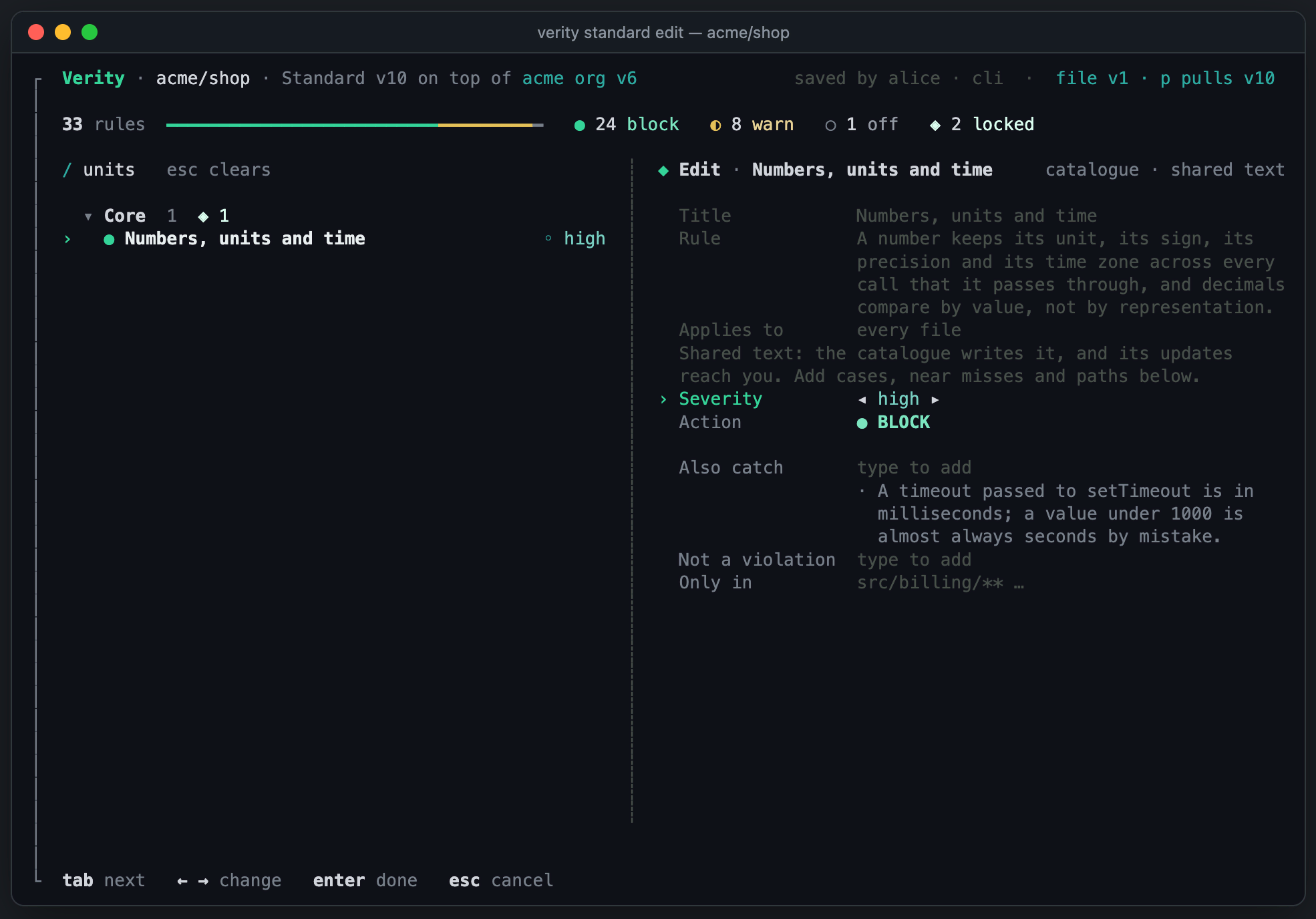
e opens one pane for every kind of rule. What you can change depends on whose text it is:
| Rule | What you can change |
|---|---|
Your team's rule, also one that verity init wrote | The title, the rule text and the paths it applies to, the severity, what happens, and cases, near misses and paths. |
| A catalogue rule, or an org rule in a repository | The severity, what happens, and cases, near misses and paths. The text is shared: the catalogue or the org writes it. |
| A rule the org locked | A case only. A near miss or a path would loosen it. |
| Key | What it does |
|---|---|
tab, ↓ ↑ | Go to the next or the previous row. |
← → or space | On Severity or Action: change it. |
type, ctrl+u | On Title, Rule or Applies to: change the text. ctrl+u clears the row. |
type, Enter | On Also catch, Not a violation or Only in: Enter adds what you typed. |
Enter | On an empty row: done. Your changes wait with the others until you save. |
Esc | Cancel. With changes, press Esc again to drop them, or Enter to keep them. |
Also catch is a case the rule must also find here. Not a violation is a near miss: something that looks like the rule but is fine here. Only in limits the rule to paths such as src/billing/**.
A new rule
n, then say what your team never wants to see. Verity drafts the rule. Then t tries it on the last 5 commits of this repository, e goes back to your words, and Enter adds it. When the draft overlaps a rule you already have, 1 to 3 make that rule your own instead, with your words as a case.
Rules Verity suggests
g in the editor, or verity standard suggest, asks Verity for rules written for this repository. Verity reads a profile of it: its folders, recent commit subjects and docs such as CLAUDE.md. The profile is written to .verity/repo-profile.json, and Verity asks before it sends it. --yes sends it without asking.
No suggestion is kept until you choose it, and none is above medium severity. In the list: space keeps a rule, e edits it, t tries it, r redrafts it from your words, and Enter adds the kept rules to your changes. Outside the full screen, the command prints the list, and this saves some of them at Warn as one new version, within a day:
verity standard suggest --keep <id>,<id>Review and save
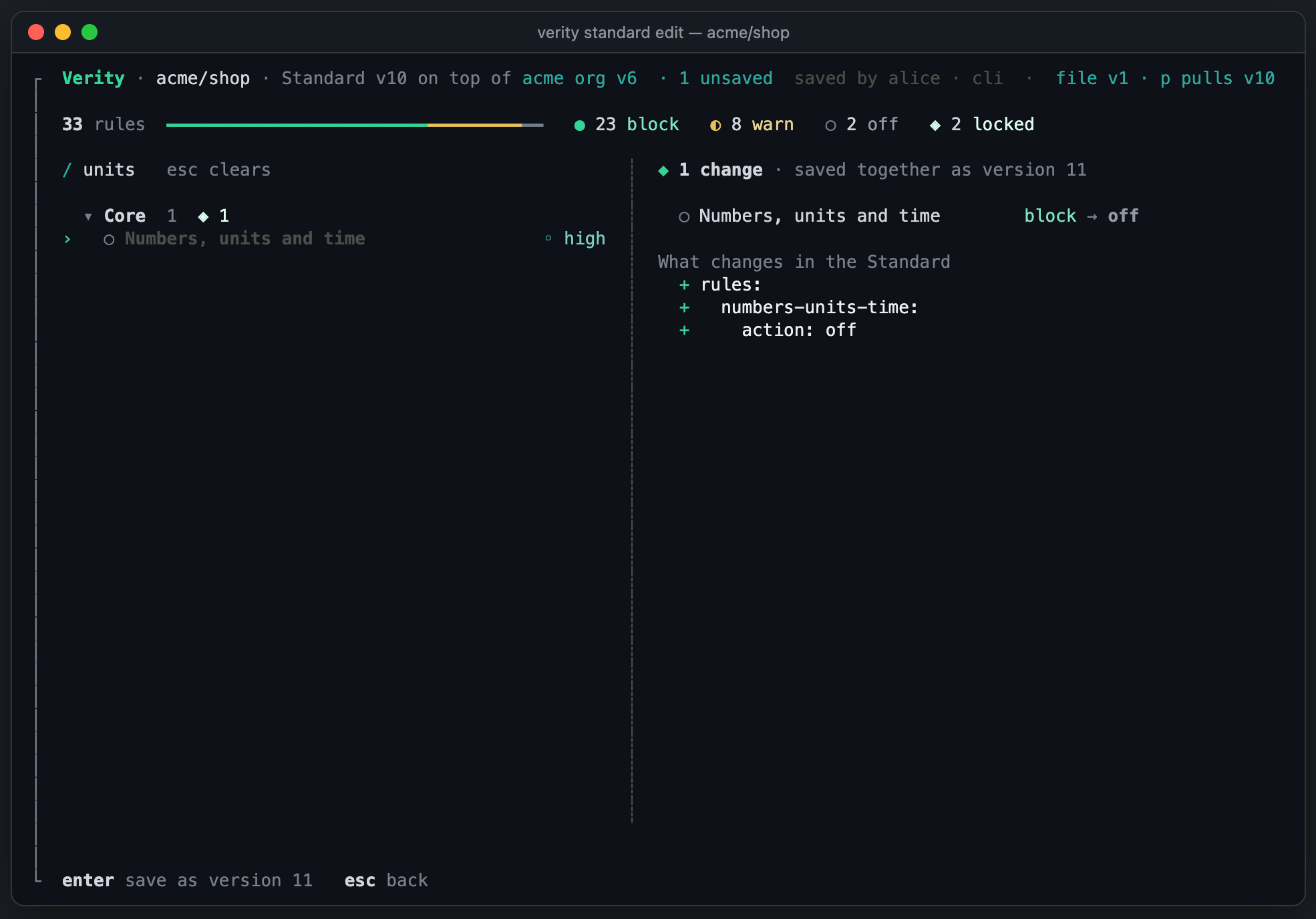
Your changes wait until you press d. The review lists each change and what it changes in the Standard. Enter saves them all as one new version. Every review from then on uses it. The top line then says who saved it: saved by alice · tui.
The org editor
verity standard edit --org opens the org Standard. The top line says you are an admin, you are an editor, or read only for a member. Org admins see m lock. Org editors change the rules that are not locked. See Org Standards for the roles.
Without the screen
These commands change one rule of the repository Standard and save it as a new version:
verity standard set <rule> block|warn|off|default
verity standard refine <rule> --case "…" | --near-miss "…" | --only-in "<glob>"
verity standard suggest
verity standard draft "Handlers never log a request body." --json > rule.json
verity standard try --draft rule.json --last 5
verity standard add-rule --draft rule.json
Inside Claude Code they save at once, and the history names them as an agent's change.
- A draft is at most medium severity. A higher severity is your choice.
try --lastsends only the lines that those commits added. It never sends a removed line, a file shaped like a secret, a path in.verityignore, or a file renamed or copied from one of them.add-ruleadds the rule at Warn, so it never blocks until someone chooses Block.