Concepts
Standards on the web
Read and change a repository's Standard and your org's Standard at verity.md. Every save is one new version, with its author, and any version can be restored.
Where to find them
Sign in at verity.md. The sidebar has two sections:
- Repository › Standard: the Standard of the repository you opened.
- Org › Org Standards: the orgs you belong to, each with its org Standard version and your role in it. Open one to see its Standard. The item shows when you belong to at least one org.
Your own pages are in the account menu, under your email at the bottom of the sidebar: Repositories, Devices, Agents, Billing and Docs.
A repository's Standard
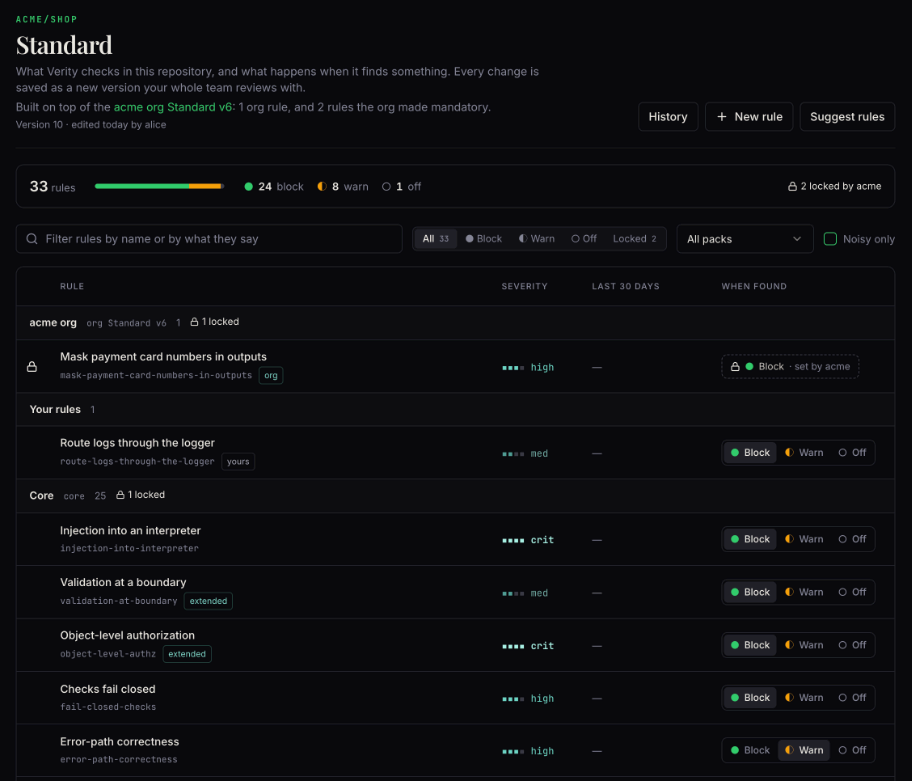
The page lists every rule, with its severity, what it found in the last 30 days, and what happens when it finds something: Block, Warn or Off. When the repository belongs to an org with an org Standard, the top of the page names it, with its org rules and the rules the org made mandatory.
Block lets a high or critical finding of the rule stop the commit or push. Warn shows it and never blocks. Off stops the rule. Warn and Off apply to what the reviewer reports. A finding that a static tool saw, such as a secret that Trivy found in the change, still blocks as before. To accept one such risk, use verity waive.
- Filter by name or by what a rule says, by Block, Warn, Off or Locked, by review pack, or Noisy only: rules with 2 or more false-positive votes in the last 30 days.
- Change what happens or the severity on the row. A locked row shows
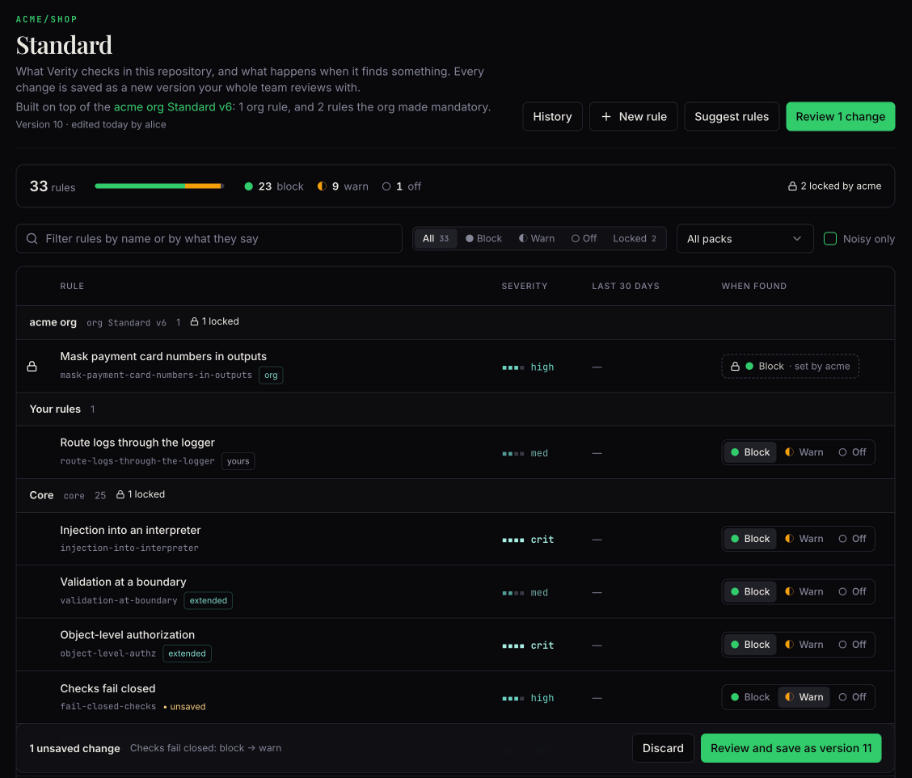
set by acmeand has no controls. - Your changes wait in a tray. Review shows them, and the review page saves them together as one new version.
- When someone saves a version in the terminal or in another tab, an open page says so within 30 seconds.
One rule
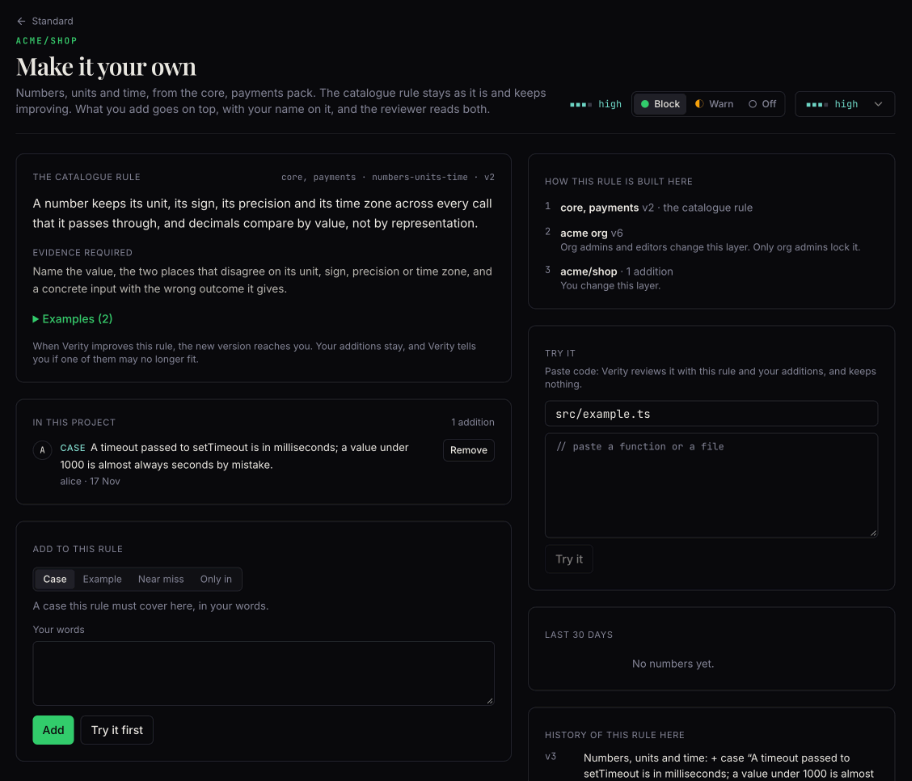
Open a rule to see how it is built here: the catalogue, the org layer, and this repository.
- Edit the rule shows for your team's own rules, also rules that
verity initwrote. Change the title, the rule text and the paths it applies to. Keep the edit adds it to your changes. - Make it your own shows for catalogue rules and org rules. Their text is shared, so you add to them: a case the rule must also find here, an example, or a near miss that is fine here.
- On a rule the org locked, you can add a case or an example only.
- Try it runs the rule on code you paste. Nothing you paste is stored.
- The page also lists the changes that named this rule, and Verity's proposals for it, to approve or reject.
A new rule
New rule: describe it in plain words, from a finding, or from a bad example. Draft the rule asks Verity to write it: the title, the rule, the evidence a finding must show, examples, the paths, the category, what happens and the severity. A draft is at most medium: a higher severity is your choice. You can change every field. When the draft overlaps a rule you already have, choose Extend that rule instead or Keep a separate rule. Try it on its examples and on code you paste, then Review and save.
Review and history
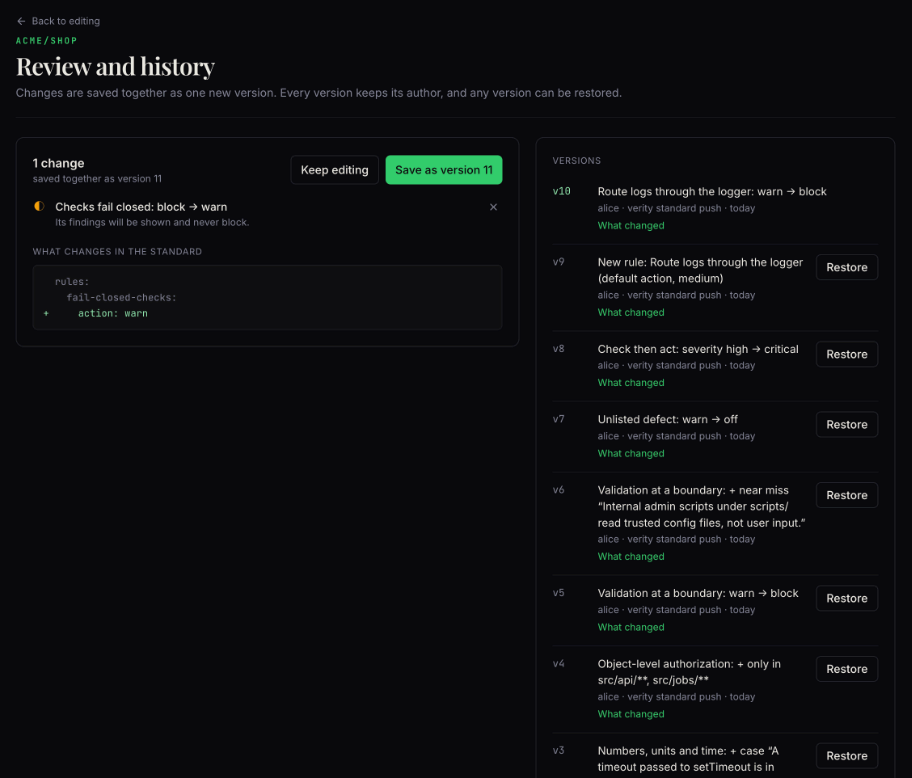
The review page lists the waiting changes. You can drop one, then save the rest as one new version. Below them are the versions, newest first, each with its author and where it was made (on the web, in the terminal, or by an agent). What changed shows the difference. Restore brings back an earlier version as a new version: nothing is deleted.
verity standard suggest in the repository, or press g in verity standard edit. The rules you keep show here. See The terminal editor.An org's Standard
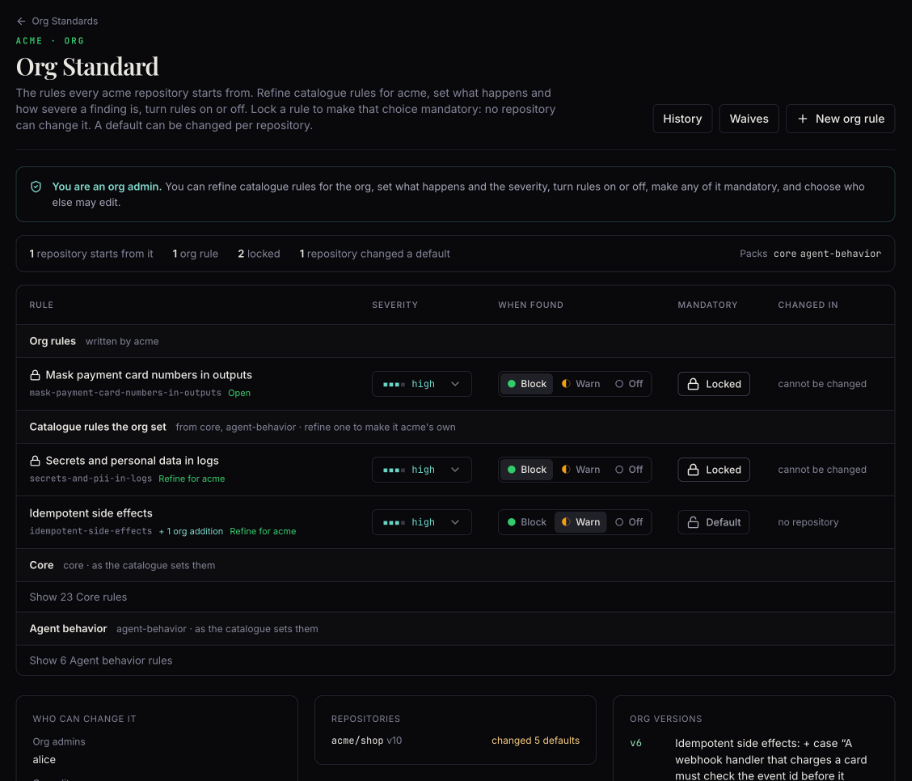
Org Standards, then an org. The top of the page says your role and what it lets you do: org admin, org editor, or member. Org Standards explains the roles and the locks.
- The rules: severity and what happens, as on a repository's page.
- Mandatory: org admins switch a rule between Default and Locked. A locked rule cannot be changed in any repository of the org.
- Changed in: the repositories that changed the org's default for a rule, and to what.
- Who can change it: the org admins and the org editors. An org admin gives the editor role to a member, or takes it.
- Repositories: the repositories that build on it, with how many defaults each changed.
- History and New org rule work as on a repository's page. Only org admins restore an earlier org version.
Waives
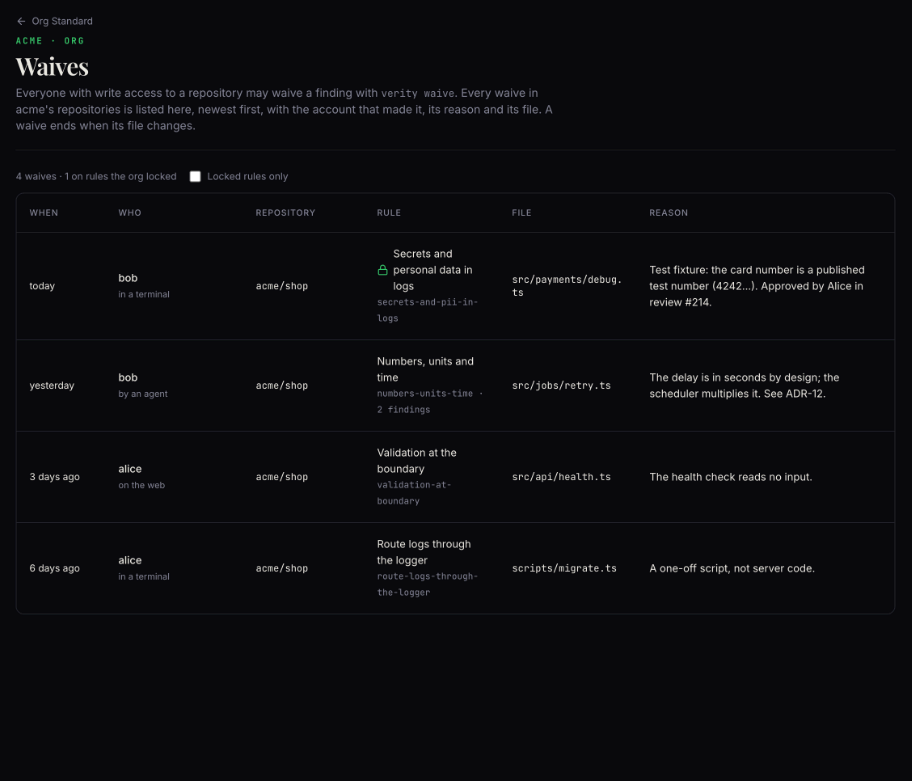
Org admins see a Waives button on the org Standard. It lists every waive in the org's repositories, newest first: when, who (and whether an agent or a terminal made it), the repository, the rule, the file and the reason. A lock mark shows a waive of a rule the org had locked, and Locked rules only filters to those. Anyone else who opens the page is told that only org admins see the waives.